Instructional Resources
AP Classroom
Explore these free online resources to help your students learn and practice all year.
How to Get Started
Teachers, follow these steps to start using AP Classroom's resources.
Sign In to AP Classroom
You must have a College Board account and an approved AP Course Audit form to access the resources in AP Classroom.
Create Class Sections
Create class sections before school begins so students can join on the first day and you can start setting up assignments.
Get Your Join Codes
Each AP class section that you teach has a unique join code that allows your students to join the class in AP Classroom.
What Is AP Classroom?
AP Classroom is an online platform that provides flexible instructional resources for each AP course. The format of online assessments in AP Classroom helps students prepare for the digital AP Exam because it closely matches the Bluebook testing experience.
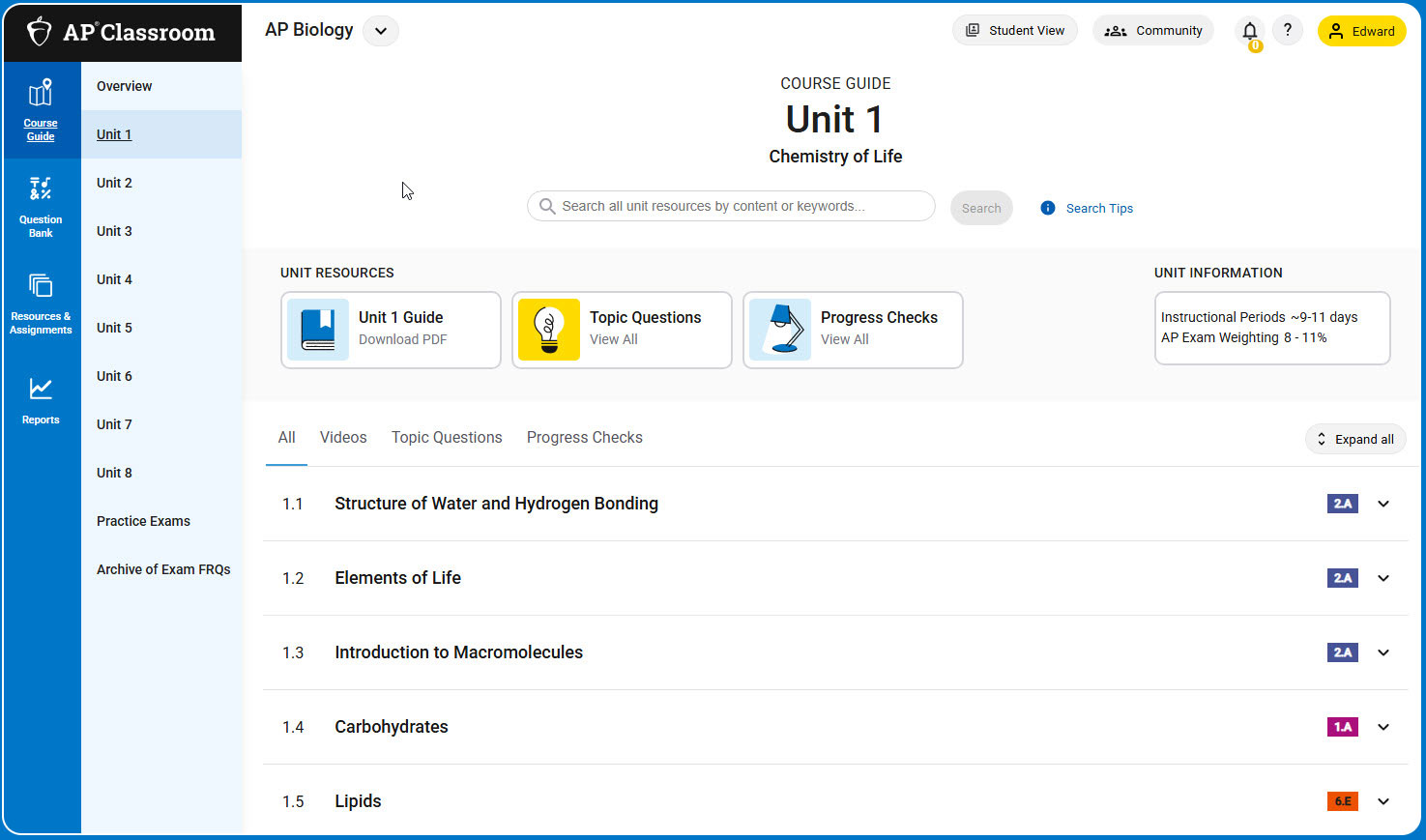
AP Classroom Resources and Tools
AP Classroom Guides and Tutorials
AP Classroom’s Help menu, found under the “?” in the upper right, gives teachers access to user guides shown below and dedicated customer support.
Link
AP Classroom User Guide for Teachers
Teachers can find detailed instructions for accessing and using the resources in AP Classroom in this complete online guide.
Link
AP Classroom User Guide for Students
Students can use the articles and videos in this online guide to learn how to track their progress and access resources in AP Classroom to strengthen their understanding of course content and skills.